How to troubleshoot Change Over Switch Install issues at home
Want this done properly without the hassle?
Aap DIY try kar sakte hain, lekin agar time nahi ya confidence kam ho, to professional bula lena better hota hai. Galat step se damage ya safety issue ho sakta hai.
Quick answer (read this first)
- Always turn off main power before any inspection.
- Check for loose or corroded wiring connections.
- Ensure the switch handle is fully engaged in a position (WAPDA or Generator).
- Look for any signs of burning, melting, or scorching.
- If unsure or detect severe damage, immediately call a certified electrician.
Safety first
- Always disconnect the main power supply to your home from the main breaker before touching any electrical components.
- Confirm power is off using a non-contact voltage tester or by testing outlets. Do NOT proceed if power is still detected.
- Always use insulated tools designed for electrical work.
- Never touch bare wires or damaged insulation.
- Wear appropriate personal protective equipment, including safety gloves and eye protection.
- If you are unsure about any step, feel uncomfortable, or lack the necessary expertise, stop immediately and contact a qualified electrician.
Tools you may need
- Insulated screwdriver set (flathead and Phillips).
- Non-contact voltage tester (highly recommended for safety).
- Flashlight or headlamp.
- Multimeter (optional, for advanced users with electrical knowledge).
- Safety gloves and glasses.
Step-by-step
Step 1
Prioritize Safety - Disconnect Power: Locate your home’s main circuit breaker and switch it OFF to cut all power to your house. Confirm there is no power by trying lights or appliances.
Step 2
Verify Complete Power Disconnection: Use a non-contact voltage tester to confirm no current is flowing through the change over switch unit and adjacent wiring. Do NOT proceed if power is still detected.
Step 3
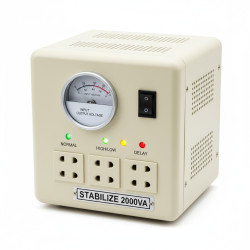
Visual Inspection of the Switch Enclosure: Carefully open the cover of the change over switch. Look for any visible signs of damage, such as a loose cover, debris inside, or rust.
Step 4
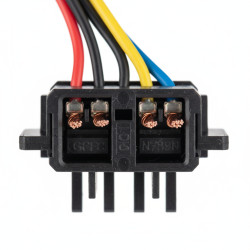
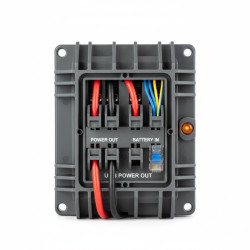
Examine Wiring Connections: Systematically inspect each wire connected to the terminals. Look for loose wires, signs of corrosion, or wires that have pulled out. Gently tug on each wire to ensure it is securely fastened.
Step 5
Check for Overheating or Burnt Components: Look for any discolored insulation, melted plastic, or scorched marks on wires, terminals, or the switch body itself. A burning smell is also a critical warning sign.
Step 6
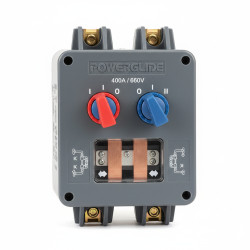
Verify Switch Handle Position and Function: Ensure the switch handle is fully engaged in either the ‘WAPDA’ (grid supply) or ‘Generator’ position, not stuck midway. Test the physical movement of the handle (with power OFF) to see if it moves smoothly between positions.
Step 7
Test for Continuity (Advanced Users Only): If you are an experienced user with a multimeter, and ONLY with the main power OFF, test for continuity across the switch terminals in both operating positions to detect internal component failure.
Step 8
Re-secure Minor Loose Connections (If Safe): If you identify only minor loose screw connections (and NO signs of burning or damage), carefully tighten them with an insulated screwdriver. Do NOT attempt to repair damaged wires or components.
Step 9
Re-energize and Test (If No Hazards Found): If you found no significant issues (like burning or melted parts) and only tightened minor connections, close the switch cover, restore main power, and test the switch’s functionality.
Step 10
Immediate Stop and Call a Pro: If you find burnt components, melted wiring, persistent issues, or are uncomfortable at any point, do not proceed. Immediately close the enclosure and contact a qualified electrician.
Common mistakes
- Failing to completely turn off the main power supply before starting any inspection or touching the switch.
- Assuming the issue is minor when signs of burning or melting are present, indicating a serious hazard.
- Not fully pushing the switch handle into either the ‘WAPDA’ or ‘Generator’ position, causing partial or no power.
- Ignoring the smell of burning plastic or insulation, which signals an immediate and dangerous electrical fault.
- Attempting to fix damaged or burnt wiring yourself instead of calling a qualified electrician.
- Overlooking corroded terminals or loose connections that can lead to intermittent power, arcing, or further damage.
When to call a professional
- You notice any burnt wires, melted plastic, or smell burning from the switch or surrounding area.
- The change over switch is hot to the touch during operation, indicating excessive current or internal fault.
- Despite following basic troubleshooting, the power supply or switching issues persist.
- You are unsure about any step, feel uncomfortable, or lack the specialized tools and knowledge for electrical work.
- There are signs of internal switch failure, arcing, sparks, or significant physical damage to the unit.
- You need to replace the switch itself or perform complex wiring modifications beyond simple tightening.
Want this done properly without the hassle?
Aap DIY try kar sakte hain, lekin agar time nahi ya confidence kam ho, to professional bula lena better hota hai. Galat step se damage ya safety issue ho sakta hai.