How to Troubleshoot Doorbell Installation Issues at Home
Want this done properly without the hassle?
Aap DIY try kar sakte hain, lekin agar time nahi ya confidence kam ho, to professional bula lena better hota hai. Galat step se damage ya safety issue ho sakta hai.
Quick answer (read this first)
- Confirm power supply to the doorbell transformer and system.
- Thoroughly inspect all wiring for loose connections, damage, or corrosion.
- Test the doorbell button and chime unit functionality.
- Verify the doorbell transformer’s voltage output meets specifications.
Safety first
- Always turn off power at the main breaker before touching any wires.
- Use insulated tools to prevent electric shock.
- Never work on electrical components with wet hands or in damp conditions.
- If you are unsure about any step, stop and consult a qualified electrician.
Tools you may need
- Screwdriver set (flathead and Phillips)
- Wire strippers
- Multimeter (optional, for voltage testing)
- Electrical tape
- Small brush or cloth for cleaning contacts
Step-by-step
Step 1
1. Cut Power Safely: Always start by locating your home’s main electrical panel and switching off the breaker controlling the doorbell circuit. Confirm power is off before proceeding.
Step 2
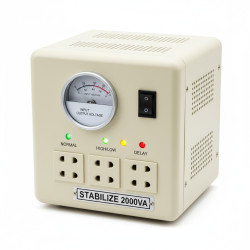
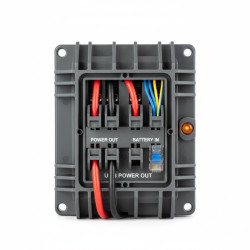
2. Locate and Inspect Transformer: Find your doorbell transformer, usually near the main electrical panel, furnace, or in a utility area. Visually check it for burn marks, overheating, or unusual buzzing sounds. A damaged transformer often indicates the root cause.
Step 3
3. Test Transformer Voltage (Optional): If you have a multimeter, carefully test the voltage output from the transformer. It should typically read between 16-24V AC, matching your doorbell’s requirements. Incorrect voltage can prevent operation or damage components.
Step 4
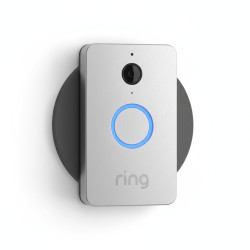
4. Inspect Doorbell Button & Wiring: Gently remove the doorbell button cover. Check the wires for secure connections, signs of corrosion, or breakage. You can briefly touch the two wires together; if the chime rings, the button itself is likely faulty and needs replacement.
Step 5
5. Examine Chime Unit & Internal Connections: Open the chime unit cover inside your home. Inspect all wiring for looseness, damage, or corrosion. Clean any dust or debris from the plungers or solenoids, as these can impede movement.
Step 6
6. Trace and Check Entire Wiring Path: Follow the doorbell wires from the transformer, to the button, and then to the chime unit. Look for any visible cuts, nicks, or pinched areas along the length of the wire. Repair minor damage with electrical tape.
Step 7
7. Secure Connections and Retest: After inspecting and repairing, ensure all wire connections are tight and secure at the transformer, button, and chime. Restore power from the main breaker and test your doorbell. If successful, you’ve fixed the issue.
Common mistakes
- Forgetting to turn off the power before handling electrical wires.
- Not thoroughly checking all connections, assuming a component is entirely faulty.
- Ignoring dirty or corroded terminals on the button or chime unit.
- Using incorrect voltage for the doorbell system, leading to damage or malfunction.
When to call a professional
- If you cannot locate the source of the problem after following all troubleshooting steps.
- If you encounter damaged or frayed main electrical wiring that requires extensive repair.
- If the transformer is buzzing loudly, smoking, or feels excessively hot.
- If you are uncomfortable working with electricity or are unsure about any repair.
- If the doorbell still doesn’t work after your efforts, a professional electrician can perform a deeper diagnostic.
Want this done properly without the hassle?
Aap DIY try kar sakte hain, lekin agar time nahi ya confidence kam ho, to professional bula lena better hota hai. Galat step se damage ya safety issue ho sakta hai.