How to Troubleshoot Home Theater Installation Issues at Home
Want this done properly without the hassle?
Aap DIY try kar sakte hain, lekin agar time nahi ya confidence kam ho, to professional bula lena better hota hai. Galat step se damage ya safety issue ho sakta hai.
Starting from
Rs. 2500
Quick answer (read this first)
-
- Verify power to all devices.
-
- Inspect all cable connections (HDMI, audio, speaker).
-
- Confirm correct input selection on TV and receiver.
-
- Perform a power cycle for all components.
-
- Check basic audio/video settings.
-
- Isolate components to find the faulty one.
Safety first
- Always unplug all components from the wall outlet before inspecting or adjusting any connections.
- Never touch exposed wires or attempt to fix sparking/smoking outlets; these are serious electrical hazards.
- Use only properly rated surge protectors to safeguard your electronics.
- If you are unsure about any electrical troubleshooting or see signs of damage, stop immediately and call a professional.
- Ensure all home theater components have adequate ventilation to prevent overheating.
Tools you may need
- Flashlight
- Small screwdriver set (for terminal checks)
- Multimeter (optional, for advanced checks)
- Spare HDMI/audio cables (for testing)
- A reliable power strip
Step-by-step
Step 1
- Initial Power Check: Verify that your TV, AV receiver, speakers, and media players are all plugged into working power outlets and their power indicator lights are on.
Step 2
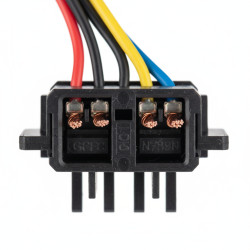
- Inspect All Cable Connections: With devices unplugged, carefully inspect every cable (HDMI, optical, RCA, speaker wires) at both ends. Ensure they are fully seated, not loose, and free from damage.
Step 3
- Confirm Correct Input Source: On your TV and AV receiver, verify that the correct input (e.g., HDMI 1, AV IN) is selected for your specific media player, gaming console, or set-top box.
Step 4
- Perform a System Power Cycle: Turn off all home theater components, unplug them from the main power for 30 seconds, then plug them back in and power them on sequentially, starting with the source.
Step 5
- Check Speaker Wiring (No Sound Issue): If you have no sound, ensure speaker wires are connected correctly (+ to + and - to -) at both the receiver and speaker terminals, with no stray wire strands causing shorts.
Step 6
- Test Components Individually: To isolate a faulty device, connect components directly (e.g., media player directly to the TV) bypassing the receiver, or swap cables with known working ones.
Step 7
- Software and Firmware Updates: Check if your Smart TV, AV receiver, or media player has any pending software or firmware updates. Installing updates can often resolve known bugs and compatibility issues.
Common mistakes
- Forgetting to check the power supply to all components.
- Selecting the wrong input source on your TV or AV receiver.
- Failing to properly seat or secure cable connections.
- Incorrectly wiring speakers (e.g., reversed polarity or short circuits).
- Overlooking available software or firmware updates for your devices.
When to call a professional
- If you notice sparking, smoking, or a burning smell from any electrical outlet or component.
- When any wiring appears visibly damaged, frayed, or exposed.
- If components are not receiving power despite thorough checks, suggesting an internal electrical fault.
- If you are uncomfortable or unqualified to perform electrical inspections or repairs.
- When the problem persists even after trying all basic troubleshooting steps.
- For complex system integrations or new installations that require expert calibration and wiring.
Want this done properly without the hassle?
Aap DIY try kar sakte hain, lekin agar time nahi ya confidence kam ho, to professional bula lena better hota hai. Galat step se damage ya safety issue ho sakta hai.
Starting from
Rs. 2500
100% Money Back Guarantee
If you are not satisfied with the service