How to Troubleshoot Smart Switch Installation Issues at Home
Want this done properly without the hassle?
Aap DIY try kar sakte hain, lekin agar time nahi ya confidence kam ho, to professional bula lena better hota hai. Galat step se damage ya safety issue ho sakta hai.
Quick answer (read this first)
- Safely confirm power is off, then verify the circuit is live and functional.
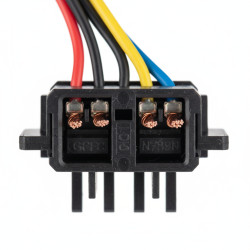
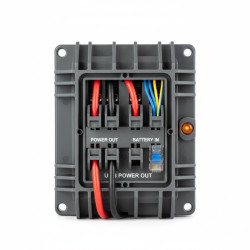
- Carefully inspect Line, Load, Neutral, and Ground wire connections against the manual.
- Check for a neutral wire in your switch box if required by the smart switch.
- Assess your Wi-Fi signal strength at the switch and ensure proper network configuration.
- Perform a factory reset of the smart switch and power cycle your home router.
- Re-attempt pairing the smart switch using its dedicated mobile application.
Safety first
- ALWAYS turn off the power at your main circuit breaker before touching any wires.
- Use a non-contact voltage tester to confirm that the power is completely off.
- Wear appropriate insulated gloves and use insulated tools designed for electrical work.
- Never work with wet hands, near water, or in damp environments.
- If you are unsure at any step, immediately stop and call a certified electrician.
Tools you may need
- Screwdriver set (Phillips and flathead)
- Non-contact voltage tester
- Pliers/Wire strippers
- Electrical tape
- Smartphone with smart switch app
Step-by-step
Step 1
Prioritize Safety: Locate your main circuit breaker, turn off power to the specific switch’s circuit, and use a non-contact voltage tester to confirm power is completely off before proceeding.
Step 2
Verify Circuit Functionality: Before installing the smart switch, ensure the existing light or appliance connected to the switch functions correctly with a standard switch, confirming the circuit is live and operational.
Step 3
Inspect Wiring Connections: With power off, carefully remove the smart switch from the wall box. Verify that the Line, Load, Neutral (if applicable), and Ground wires are securely and correctly connected according to the smart switch’s instruction manual.
Step 4
Confirm Neutral Wire: Many smart switches require a neutral wire for operation. Check if your wall box contains a neutral wire (often white or grey) and ensure it’s correctly connected to the smart switch if required.
Step 5
Assess Wi-Fi Strength and Network: Ensure your home’s Wi-Fi network is active, stable, and that the smart switch is within adequate signal range. Poor Wi-Fi signal is a frequent cause of connection failures.
Step 6
Reset Smart Switch and Router: Perform a factory reset on your smart switch (consult its manual for specific steps). Then, power cycle your home Wi-Fi router by unplugging it for 30 seconds and plugging it back in.
Step 7
Re-Pair with Mobile App: With your Wi-Fi router back online, open the smart switch’s dedicated mobile application on your smartphone and attempt to re-pair the device, carefully following all in-app instructions.
Step 8
Review Compatibility: Double-check the smart switch’s compatibility requirements with your home’s electrical system (e.g., voltage, amperage) and any existing smart home hubs or ecosystems you are using.
Common mistakes
- Failing to completely turn off the main power supply before starting work.
- Incorrectly identifying or connecting the Line, Load, Neutral, or Ground wires.
- Assuming a neutral wire is available when the wall box lacks one.
- Poor Wi-Fi signal strength or incorrect Wi-Fi network credentials preventing pairing.
- Not following the specific pairing and setup instructions provided by the manufacturer.
- Overlooking compatibility issues between the smart switch and existing fixtures or bulbs.
When to call a professional
- If you cannot safely turn off power at the main breaker or confirm it is off.
- If a neutral wire is required by your smart switch but is not present in your switch box.
- If you observe any signs of damaged wiring, burnt insulation, or loose connections within the wall box.
- If you are uncomfortable or lack confidence in working with electrical wiring.
- If, after following all troubleshooting steps, the smart switch still doesn’t function correctly.
- If you experience sparks, smoke, or a burning smell during or after installation.
Want this done properly without the hassle?
Aap DIY try kar sakte hain, lekin agar time nahi ya confidence kam ho, to professional bula lena better hota hai. Galat step se damage ya safety issue ho sakta hai.