Smart Switch Installation: Prevent Common Problems & DIY Guide
Want this done properly without the hassle?
Aap DIY try kar sakte hain, lekin agar time nahi ya confidence kam ho, to professional bula lena better hota hai. Galat step se damage ya safety issue ho sakta hai.
Quick answer (read this first)
- Always confirm the presence of a neutral wire in your switch box.
- Ensure robust and stable Wi-Fi connectivity at the switch’s location.
- Diligently follow the smart switch manufacturer’s wiring instructions.
- Test both manual and app functionality after installation is complete.
Safety first
- ALWAYS turn off power at the main breaker before touching any wiring.
- Use a non-contact voltage tester to confirm power is off.
- Wear safety glasses and use insulated tools.
- Never work with wet hands or in damp environments.
- Work during daylight or with adequate auxiliary lighting.
- If unsure, stop immediately and call a qualified electrician.
Tools you may need
- Screwdriver set (Phillips and flathead)
- Wire strippers/cutters
- Non-contact voltage tester
- Electrical tape
- Pliers (needle-nose or lineman’s)
- New smart switch and faceplate
Step-by-step
Step 1
1. Power Off Safely: Locate your main electrical panel. Identify and switch off the specific circuit breaker controlling the light switch you plan to replace. Go to the switch and use a non-contact voltage tester to confirm that power is completely off, testing both the old switch and the wires.
Step 2
2. Remove Old Switch: Unscrew the faceplate from the existing switch. Gently pull the old switch out of the wall box. IMPORTANT: Take a clear, well-lit photo of the existing wiring connections. Loosen the terminal screws and carefully disconnect the wires from the old switch.
Step 3
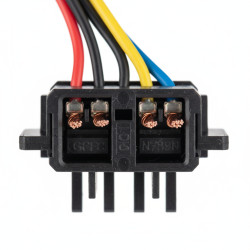
3. Identify Wires: Identify the purpose of each wire in the wall box: Live (incoming power), Load (to the light fixture), Neutral (crucial for most smart switches, often bundled at the back), and Ground (safety path). If you cannot identify these wires clearly or if a neutral wire is missing and your smart switch requires it, STOP and consult a professional.
Step 4
4. Connect Smart Switch: Refer exclusively to the wiring diagram provided by your smart switch manufacturer. Connect the Live wire from the wall box to the ‘Live’ or ‘Line’ terminal on the smart switch. Connect the Load wire to the ‘Load’ terminal, the Neutral wire to the ‘Neutral’ terminal, and the Ground wire (if present) to the ‘Ground’ terminal. Ensure all connections are tight and secure, with no exposed copper.
Step 5
5. Mount and Secure: Carefully fold and push the connected wires back into the wall box, ensuring no wires are pinched or exposed. Gently insert the smart switch into the wall box. Secure the smart switch to the wall box using the provided screws. Attach the new faceplate, ensuring it sits flush against the wall.
Step 6
6. Restore Power & Test: Return to your main electrical panel and turn the circuit breaker back ON. Test the smart switch manually to ensure the light turns on and off. Follow the smart switch manufacturer’s instructions to connect it to your home Wi-Fi network and smart home app. Test the switch’s functionality through the app to confirm remote control and smart features are working.
Common mistakes
- Failing to turn off power at the main breaker, risking electrical shock.
- Misidentifying Live, Load, or Neutral wires, leading to incorrect wiring.
- Attempting to install a neutral-dependent smart switch in a box without a neutral wire.
- Poor Wi-Fi signal strength causing connectivity issues or dropped connections.
- Disregarding the manufacturer’s specific wiring instructions.
- Pinching or damaging wires during installation, leading to short circuits or malfunctions.
When to call a professional
- If you cannot locate or safely turn off the main power breaker.
- If you are unsure about identifying specific electrical wires (Live, Load, Neutral, Ground).
- If your switch box lacks a neutral wire and your smart switch requires one, necessitating rewiring.
- If you encounter any sparking, smoke, or unusual smells during installation.
- If the smart switch does not function correctly after following all troubleshooting steps.
- For any complex wiring situations, older electrical systems, or if you feel uncomfortable proceeding.
Want this done properly without the hassle?
Aap DIY try kar sakte hain, lekin agar time nahi ya confidence kam ho, to professional bula lena better hota hai. Galat step se damage ya safety issue ho sakta hai.