Troubleshooting Smart Switch Installation Problems at Home
Want this done properly without the hassle?
Aap DIY try kar sakte hain, lekin agar time nahi ya confidence kam ho, to professional bula lena better hota hai. Galat step se damage ya safety issue ho sakta hai.
Quick answer (read this first)
- Confirm power is off at the circuit breaker.
- Check Wi-Fi strength and connection to the switch.
- Inspect all wiring connections for security and correctness.
- Perform a hard reset on the smart switch.
- Update the smart switch app and device firmware.
- Temporarily test with a standard switch to isolate the issue.
Safety first
- Always turn off power at the circuit breaker before touching any wires.
- Use a voltage tester to confirm power is off before starting work.
- Handle electrical components with insulated tools to prevent shocks.
- Never work with wet hands or in damp conditions.
- If you are unsure about any step, stop immediately and call a qualified electrician.
Tools you may need
- Voltage tester/Multimeter
- Screwdriver set (Phillips and flathead)
- Electrical tape
- Pliers/Wire strippers
- Smartphone with the smart switch app
- Flashlight (optional, for visibility)
Step-by-step
Step 1
Step 1: Prioritize Safety - Locate your home’s main circuit breaker and turn off the power to the specific switch you are troubleshooting. Use a voltage tester to confirm that the power is completely off before proceeding.
Step 2
Step 2: Assess Wi-Fi Connection - Ensure your home’s Wi-Fi network is stable and the smart switch is within its effective range. Open the smart switch app and attempt to reconnect the device to your Wi-Fi, verifying network credentials if needed.
Step 3
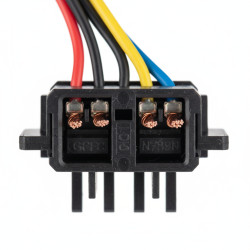
Step 3: Inspect Wiring Connections - Carefully remove the switch plate and gently pull the smart switch out of the wall box. Visually check that all wires (line, load, neutral, ground) are securely connected to the correct terminals according to the manufacturer’s diagram. Pay special attention to the neutral wire, which many smart switches require.
Step 4
Step 4: Hard Reset the Smart Switch - If the switch is unresponsive or not connecting, perform a hard reset. Refer to your switch’s manual for specific instructions; this usually involves holding a button on the switch for several seconds until an indicator light changes.
Step 5
Step 5: Update Software and Firmware - Ensure your smart switch control app on your smartphone is updated to its latest version. Check the app for any available firmware updates for the smart switch itself, as outdated software can cause various functionality issues.
Step 6
Step 6: Test for Overload - Verify that the electrical load (e.g., light bulbs, fan) connected to the smart switch does not exceed its maximum wattage rating. An overloaded switch can malfunction or become unresponsive.
Step 7
Step 7: Isolate the Problem (Optional) - If the issue persists, temporarily replace the smart switch with a standard light switch. If the standard switch operates correctly, it confirms the problem lies with the smart switch itself and not the wiring or fixture.
Step 8
Step 8: Re-verify Setup - Double-check all initial setup steps, including pairing mode, network selection, and any required calibration within the smart switch application.
Common mistakes
- Forgetting to turn off the power at the circuit breaker before handling wires.
- Incorrectly wiring the smart switch, especially misplacing or omitting the neutral wire.
- Ignoring Wi-Fi signal strength or incorrect network password entry.
- Skipping essential app or device firmware updates.
- Overlooking the smart switch’s maximum load capacity, leading to overload.
- Assuming the smart switch is faulty when the problem might be with the light fixture or existing home wiring.
When to call a professional
- If you encounter any exposed or damaged electrical wiring.
- If you are uncomfortable or unsure about any part of the electrical troubleshooting process.
- If the issue persists after diligently following all troubleshooting steps.
- If you lack the necessary tools or experience for safe electrical work.
- If you suspect a circuit breaker malfunction or a short circuit in your home’s electrical system.
Want this done properly without the hassle?
Aap DIY try kar sakte hain, lekin agar time nahi ya confidence kam ho, to professional bula lena better hota hai. Galat step se damage ya safety issue ho sakta hai.