How to Prevent Common TV Mounting Problems
Want this done properly without the hassle?
Aap DIY try kar sakte hain, lekin agar time nahi ya confidence kam ho, to professional bula lena better hota hai. Galat step se damage ya safety issue ho sakta hai.
Quick answer (read this first)
- Accurately determine your wall type and locate studs or solid mounting points before drilling.
- Always use wall anchors and fasteners specifically designed for your wall material and TV weight.
- Adhere strictly to both your TV and mounting bracket manufacturer’s instructions.
- Verify the mount is perfectly level and capable of supporting your TV’s full weight prior to installation.
- Perform a final safety check to ensure all connections are secure and stable.
Safety first
- Always switch off power to the relevant circuit breaker before drilling near electrical outlets or suspected wiring.
- Use a reliable stud finder with AC wire detection to scan the wall thoroughly for studs, pipes, and electrical lines. Adjust your mounting spot if hazards are detected.
- Wear appropriate safety glasses to shield your eyes from dust and debris during drilling and installation.
- Enlist at least one helper for lifting and mounting the TV, particularly for larger, heavier models, to prevent injury or accidental damage.
- Ensure all cables are routed securely, without pinching or excessive tension, to avoid damage, tripping hazards, or fire risks.
Tools you may need
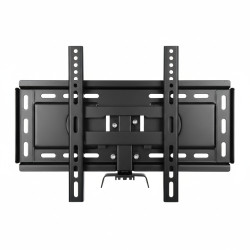
- TV mounting bracket kit
- Drill with appropriate bits
- Stud finder with AC detection
- Level
- Measuring tape
- Pencil
- Screwdriver set
- Socket wrench (often included with mount)
- Safety glasses
Step-by-step
Step 1
Preparation & Planning: Thoroughly read both your TV and mounting bracket manuals. Identify your wall material (e.g., brick, concrete, drywall with studs) and decide on the optimal viewing height for your TV, considering your seating arrangements.
Step 2
Locate Mounting Points & Hazards: Use a stud finder with AC detection to precisely locate wooden studs, concrete blocks, or other solid structural elements. Mark these, and importantly, scan for hidden electrical wires or pipes in your intended drilling area. If hazards are found, adjust your mounting spot.
Step 3
Mark Pilot Holes Accurately: Hold the wall mounting plate against your chosen spot. Use a level to ensure it’s perfectly straight, then use a pencil to mark the exact locations for your pilot holes. Double-check measurements against your TV’s width.
Step 4
Drill Pilot Holes & Install Anchors: Select the correct drill bit size recommended by your mount manufacturer. Carefully drill pilot holes to the specified depth. For drywall, install appropriate toggle or expansion anchors. For studs or concrete, insert lag bolts directly, ensuring a snug fit.
Step 5
Secure the Wall Mount: Fasten the wall plate of the mounting bracket securely to the wall using all recommended hardware. Tighten bolts firmly but do not overtighten, which can damage the wall or bracket. Give the mount a gentle tug to ensure it’s stable.
Step 6
Attach TV Brackets: Secure the TV-side brackets to the back of your television. Ensure they are correctly oriented and all screws are tightened to the manufacturer’s torque specifications. Verify that any quick-release mechanisms or safety latches are accessible if applicable.
Step 7
Mount the TV Safely: With the help of another person, carefully lift the TV. Align the TV brackets with the wall mount and gently hook or slide the TV into place. Listen for a click or confirm that any safety latches engage. Double-check that the TV is securely seated on the mount.
Step 8
Final Adjustments & Cable Management: Make any final leveling or tilt adjustments. Route all necessary cables neatly, securing them with ties or sleeves. Ensure cables have enough slack to avoid strain and are not pinched by the TV or mount. Perform a final stability check of the entire setup.
Common mistakes
- Ignoring the wall type or not using a stud finder, leading to drilling into wires, pipes, or unstable areas.
- Selecting the wrong type or size of wall anchors/fasteners for your specific wall material (e.g., using drywall anchors in concrete or vice-versa).
- Mounting the TV at an incorrect height or off-center, causing neck strain or an aesthetically unpleasing setup.
- Disregarding the TV mount’s maximum weight capacity, risking the TV falling due to an overburdened bracket.
- Failing to use a level during installation, resulting in a visibly crooked television.
- Overtightening screws or bolts, which can strip threads, damage the TV’s frame, or crack the wall.
- Not securing safety latches or checking connections, making the TV prone to accidental dislodgement.
When to call a professional
- If your wall material is unusual, very old, or seems weak (e.g., plaster and lath, weak partition walls), and you are uncertain about its ability to safely bear the TV’s weight.
- When a stud finder fails to locate secure mounting points in your preferred location, or if the only available spots seem unsafe.
- For intricate cable management that requires opening walls, routing new electrical lines, or installing recessed outlets, especially if it involves modifying existing electrical circuits.
- If you own an exceptionally large or heavy TV that requires specialized mounting techniques or equipment beyond standard DIY capabilities.
- Should you encounter unexpected obstructions like hidden pipes, electrical wiring, or structural anomalies while preparing to drill.
- If you need to install or relocate an electrical outlet directly behind the TV for a cleaner, safer power connection, which requires professional electrical work.
Want this done properly without the hassle?
Aap DIY try kar sakte hain, lekin agar time nahi ya confidence kam ho, to professional bula lena better hota hai. Galat step se damage ya safety issue ho sakta hai.