How to troubleshoot Tv Mounting issues at home
Want this done properly without the hassle?
Aap DIY try kar sakte hain, lekin agar time nahi ya confidence kam ho, to professional bula lena better hota hai. Galat step se damage ya safety issue ho sakta hai.
Starting from
Rs. 1600
Quick answer (read this first)
- Check all power and cable connections.
- Verify the stability of the wall mount.
- Restart your TV and connected devices.
- Confirm the correct input source is selected.
- Consult your TV’s user manual for error codes.
Safety first
- Always unplug the TV from the power outlet before handling cables or the mount.
- Seek assistance when handling heavy TVs to prevent injury.
- Do not overtighten screws; stop when secure to avoid stripping threads.
- Avoid touching exposed electrical wires or damaged outlets.
- Ensure the mounting surface is structurally sound before any adjustments.
Tools you may need
- Screwdriver set (Philips and flathead)
- Pliers
- Spirit level
- Measuring tape
- Flashlight
- A helper
Step-by-step
Step 1
- Confirm Power Supply: Verify the TV’s power cable is firmly plugged into both the TV and a working wall outlet. Test the outlet with another small appliance to confirm power.
Step 2
- Inspect All Cable Connections: Securely check all HDMI, AV, and other relevant input cables. Gently unplug and re-insert each cable at both the TV and the source device (e.g., set-top box, gaming console).
Step 3
- Perform a Hard Reset: Unplug your TV and all connected devices from their power sources for at least 60 seconds. Then, plug them back in, starting with the TV, and power them on.
Step 4
- Verify Input Source: Use your TV remote to cycle through input/source options (e.g., HDMI 1, HDMI 2, AV) until you find the correct input corresponding to your active device.
Step 5
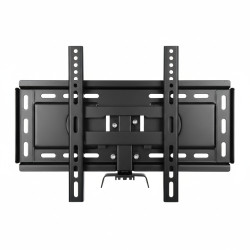
- Check Wall Mount Stability: Carefully and gently test the TV mount for any signs of looseness, wobble, or damage. Ensure all screws fastening the TV to the bracket and the bracket to the wall are tight.
Step 6
- Troubleshoot Picture and Sound Issues: If you have a distorted picture or no sound, try connecting a different device to the same TV input. If the problem persists, swap out the HDMI or AV cable with a known working one.
Step 7
- Consult Your TV’s User Manual: For specific error codes or unusual behavior, refer to your TV’s manufacturer manual for detailed troubleshooting steps relevant to your model.
Common mistakes
- Overlooking loose or damaged power or input cables.
- Forgetting to select the correct input source on the TV.
- Not checking if the power outlet is functional.
- Attempting to work on the TV or mount alone if it’s heavy.
- Overtightening screws, leading to stripped threads or damaged components.
When to call a professional
- If the wall mount itself is visibly damaged, cracked, or seems unstable.
- You notice sparks, burning smells, or persistent electrical issues.
- The TV does not power on despite all power connections being correct.
- You suspect internal damage to the TV or complex wiring issues within the wall.
- You are unsure about safely re-mounting the TV or making structural adjustments to the wall.
Want this done properly without the hassle?
Aap DIY try kar sakte hain, lekin agar time nahi ya confidence kam ho, to professional bula lena better hota hai. Galat step se damage ya safety issue ho sakta hai.
Starting from
Rs. 1600
100% Money Back Guarantee
If you are not satisfied with the service