How to Prevent Common UPS Repairing Problems and When to Call a Pro
Want this done properly without the hassle?
Aap DIY try kar sakte hain, lekin agar time nahi ya confidence kam ho, to professional bula lena better hota hai. Galat step se damage ya safety issue ho sakta hai.
Quick answer (read this first)
- Always check power connections and ensure the main circuit breaker isn’t tripped.
- Verify battery health and maintain water levels for applicable battery types.
- Ensure your UPS has proper ventilation to prevent overheating.
- Perform a soft reset if your UPS experiences minor operational issues.
Safety first
- Always unplug the UPS from the main power supply and all connected devices before any inspection or troubleshooting.
- Never attempt to open the UPS casing; high voltage components inside can be lethal. This is a job for qualified professionals.
- Wear insulated gloves and use insulated tools if you are checking external wiring or accessible battery terminals.
- Keep children and pets away from the UPS and any electrical equipment during inspection.
- Avoid working with wet hands or in damp environments to prevent electric shock.
Tools you may need
- Screwdriver set (insulated tips preferred for external checks)
- Clean, dry cloth or soft brush
- Distilled water (only for specific UPS models with maintainable lead-acid batteries)
Step-by-step
Step 1
Step 1: Safely Disconnect Power - Unplug the UPS from the main wall outlet and disconnect all devices connected to the UPS.
Step 2
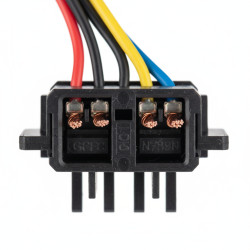
Step 2: Inspect Cables & Connections - Carefully examine all power cords, plugs, and connections for any signs of looseness, fraying, or visible damage. Ensure they are securely seated.
Step 3
Step 3: Clean Vents & Exterior - Check the UPS’s air vents for accumulated dust, dirt, or obstructions. Gently clean them with a dry cloth or soft brush to ensure proper airflow and prevent overheating.
Step 4
Step 4: Check Battery Terminals (If Accessible) - If your UPS has accessible external battery terminals, inspect them for corrosion. If found, gently clean with a dry cloth.
Step 5
Step 5: Verify Battery Water Levels (Specific Models Only) - For UPS models equipped with maintainable lead-acid batteries, carefully check and refill water levels with distilled water if they appear low. Exercise extreme caution.
Step 6
Step 6: Reconnect & Power On - Plug the UPS back into the main power outlet and reconnect your devices. Then, switch on the UPS.
Step 7
Step 7: Perform a Soft Reset - If the issue persists after powering on, locate and press the UPS’s reset button (if available) to clear any minor system glitches.
Common mistakes
- Ignoring warning beeps or indicator lights, which signal potential problems.
- Overloading the UPS by connecting more devices than its specified wattage capacity.
- Placing the UPS in enclosed spaces or near heat sources, leading to poor ventilation and overheating.
- Neglecting regular maintenance, such as checking battery water levels or cleaning vents (for applicable models).
- Attempting internal repairs or opening the UPS casing without professional electrical knowledge and safety gear.
When to call a professional
- If the UPS emits a burning smell, smoke, or unusual loud noises.
- When the UPS fails to turn on, hold a charge, or provide backup power despite basic troubleshooting.
- If batteries show severe corrosion, leaks, or appear swollen/bulging, indicating a major failure.
- When you experience electrical sparks, shocks, or observe frayed internal wiring.
- If the issue persists after attempting all basic troubleshooting steps.
- Any situation where you feel uncomfortable, unsure, or unsafe proceeding with a DIY inspection or repair.
Want this done properly without the hassle?
Aap DIY try kar sakte hain, lekin agar time nahi ya confidence kam ho, to professional bula lena better hota hai. Galat step se damage ya safety issue ho sakta hai.