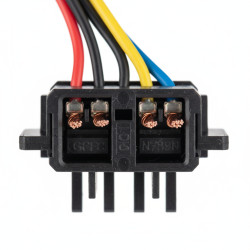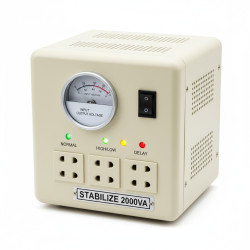
How to Troubleshoot UPS Repairing Issues at Home
Want this done properly without the hassle?
Aap DIY try kar sakte hain, lekin agar time nahi ya confidence kam ho, to professional bula lena better hota hai. Galat step se damage ya safety issue ho sakta hai.
Quick answer (read this first)
- Verify all power connections are secure and the wall outlet is functional.
- Inspect UPS battery terminals for corrosion or loose connections.
- Perform a hard reset of the UPS unit.
- Confirm the total load does not exceed the UPS’s maximum capacity.
- Identify any error beeps and consult your UPS manual for diagnostics.
Safety first
- Always unplug the UPS from the main power outlet before inspecting or touching any internal components.
- Never open the main casing of the UPS unless you are a qualified electrician; focus on external checks only.
- Wear insulated gloves if handling battery terminals.
- Avoid contact with any liquid, especially near electrical components.
- Do not attempt repairs if you smell burning or see smoke; immediately disconnect power and call a professional.
Tools you may need
- Screwdriver (for battery cover, if accessible)
- Flashlight or torch
- Multimeter (optional, for advanced users to check battery voltage)
- Clean cloth
Step-by-step
Step 1
Step 1: Initial Power & Connection Checks. Ensure the UPS is securely plugged into a working wall outlet and verify the outlet has power. Check all power cables connected to the UPS and its output devices for damage and ensure they are firmly seated. Look for any tripped external circuit breakers on the UPS unit.
Step 2
Step 2: Inspect Battery Connections. If the battery compartment is safely accessible (refer to your manual), carefully inspect battery terminals. Look for signs of corrosion (powdery residue) or loose connections. Gently clean if minor and safe.
Step 3
Step 3: Perform a UPS Hard Reset. Disconnect the UPS from the main wall outlet. Unplug all devices connected to the UPS. Press and hold the UPS power button for 10-15 seconds. Plug the UPS back into the wall, then reconnect devices one by one.
Step 4
Step 4: Evaluate Connected Load. Confirm that the total power consumption of all connected devices does not exceed the UPS’s specified wattage capacity. Temporarily remove non-essential devices and observe if the UPS powers on or stabilizes.
Step 5
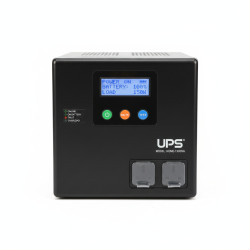
Step 5: Interpret Error Indicators. Pay close attention to any specific LED indicators or audible error beeps. Consult your UPS user manual to understand what these specific lights or beep patterns signify for accurate diagnosis.
Step 6
Step 6: Test UPS Output. Plug a single, low-power device (like a mobile phone charger or a small lamp) directly into one of the UPS output sockets. Observe if the UPS provides power to this device, which helps determine if the UPS is generating output.
Step 7
Step 7: Monitor for Overheating or Unusual Smells. Continuously observe the UPS for any signs of excessive heat, smoke, or unusual burning smells. If any of these symptoms appear, immediately disconnect the UPS from power and cease all troubleshooting efforts.
Common mistakes
- Overloading the UPS with too many high-power devices.
- Ignoring low battery warning indicators for extended periods.
- Not periodically testing the UPS to ensure battery health.
- Using damaged or incorrect power cables.
- Plugging the UPS into a surge protector instead of directly into the wall.
When to call a professional
- If you observe smoke, burning smells, or extreme heat from the UPS.
- When the battery appears swollen or is leaking fluid.
- If the UPS fails to power on or provide output after performing all basic troubleshooting steps.
- When error codes persist despite resets and checks, especially if you cannot interpret them.
- If you are uncomfortable performing even basic checks or suspect internal component failure.
Want this done properly without the hassle?
Aap DIY try kar sakte hain, lekin agar time nahi ya confidence kam ho, to professional bula lena better hota hai. Galat step se damage ya safety issue ho sakta hai.