How to Troubleshoot Video Doorbell Installation Issues
Want this done properly without the hassle?
Aap DIY try kar sakte hain, lekin agar time nahi ya confidence kam ho, to professional bula lena better hota hai. Galat step se damage ya safety issue ho sakta hai.
Quick answer (read this first)
- Check power supply and voltage.
- Verify Wi-Fi connection strength and compatibility.
- Ensure all wires are securely and correctly connected.
- Re-attempt device pairing via the companion app.
- Perform a factory reset if other steps fail.
Safety first
- Always turn off power at the main electrical breaker before handling any wires.
- Use insulated tools to prevent electric shock.
- Never work with wet hands or in damp conditions.
- If you are unsure about any step or uncomfortable with electrical work, stop immediately and call a professional electrician.
Tools you may need
- Screwdriver set (Phillips and flathead)
- Multimeter or voltage tester
- Electrical tape
- User manual for your video doorbell
- Smartphone with the doorbell’s companion app
Step-by-step
Step 1
Locate your main electrical breaker and switch off the power to the doorbell circuit before proceeding.
Step 2
Use a multimeter to inspect the existing doorbell transformer or chime for adequate voltage, typically between 16-24V AC.
Step 3
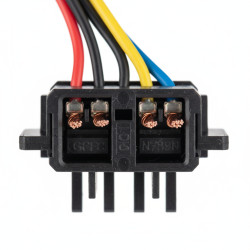
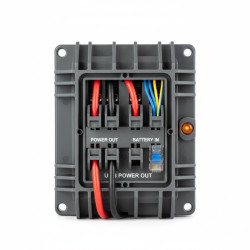
Verify that all wires are securely fastened and correctly connected to both the video doorbell unit and the chime, following your manufacturer’s specific diagram.
Step 4
Confirm that your home’s Wi-Fi router is providing a strong, stable signal at the doorbell’s installation point and that your doorbell is connecting to the correct 2.4GHz network.
Step 5
Open the video doorbell’s companion app and carefully follow the instructions to re-attempt the device pairing process.
Step 6
Thoroughly review all settings within the video doorbell’s companion app for any overlooked or incorrect configurations that might be causing issues.
Step 7
If problems persist, perform a factory reset on the video doorbell and restart the installation and pairing process from the very beginning.
Step 8
Ensure your smartphone’s Bluetooth and location services are enabled during the initial setup if required by your doorbell model.
Step 9
Check for any firmware updates available for your video doorbell through the app and install them if prompted.
Common mistakes
- Insufficient or incorrect voltage supply to the doorbell, leading to power failures.
- Loose, corroded, or improperly wired connections at the doorbell or chime.
- Weak or incompatible Wi-Fi signal, especially trying to connect to a 5GHz network when only 2.4GHz is supported.
- Skipping critical steps or failing to follow the manufacturer’s specific installation guide.
- Forgetting to turn off the power at the main breaker before working with electrical components.
- Not enabling required phone permissions (like Bluetooth or location) during the setup process.
When to call a professional
- If you lack experience or are uncomfortable working with electrical wiring and components.
- If the issue remains unresolved after diligently following all troubleshooting steps.
- If you detect any faulty, frayed, or damaged wiring in your home’s electrical system.
- If the existing doorbell transformer needs replacement and you are unsure how to install a new one safely.
- If there is no power whatsoever reaching the doorbell wires even after confirming the breaker is on.
- If the problem involves your home’s main electrical panel or circuit breaker.
Want this done properly without the hassle?
Aap DIY try kar sakte hain, lekin agar time nahi ya confidence kam ho, to professional bula lena better hota hai. Galat step se damage ya safety issue ho sakta hai.