How to do a Basic Video Doorbell Safety Check and Quick Fixes
Want this done properly without the hassle?
Aap DIY try kar sakte hain, lekin agar time nahi ya confidence kam ho, to professional bula lena better hota hai. Galat step se damage ya safety issue ho sakta hai.
Quick answer (read this first)
- Always disconnect power at the main circuit breaker before any physical inspection.
- Inspect the physical unit for damage, loose mounting, and exposed wires.
- Verify all wiring connections are tight, clean, and intact.
- Troubleshoot connectivity by restarting your home router and the doorbell unit.
- Confirm all settings are correctly configured within the doorbell’s mobile app.
Safety first
- CRITICAL: Always turn off power at the main circuit breaker for the doorbell circuit before any physical inspection or touching wires.
- Use only insulated tools and wear non-conductive gloves when dealing with electrical components.
- Never work with electricity in wet conditions or with wet hands.
- Immediately stop work, turn off power, and call a professional if you observe sparks, burning smells, frayed wires, or any sign of electrical damage.
- Do not attempt any repair beyond basic troubleshooting if you are not confident or lack the proper knowledge and tools.
Tools you may need
- Insulated Screwdriver Set (Phillips and Flathead)
- Electrical Tape
- Soft Microfiber Cloth or Brush (for cleaning)
- Small Step Ladder or Stool (if doorbell is mounted high)
- Non-conductive Safety Gloves
Step-by-step
Step 1
Power Down Safely: Locate your main electrical panel and switch off the circuit breaker that supplies power to your video doorbell and its chime. Confirm there’s no power before proceeding.
Step 2
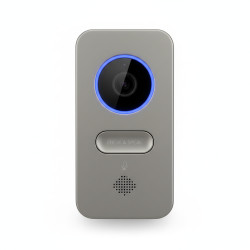
Visual Inspection of the Unit: Carefully examine the video doorbell’s exterior for any physical damage, cracks, or signs of wear. Check if the unit is securely mounted to the wall and not loose.
Step 3
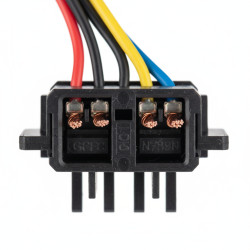
Inspect Wiring Connections: Gently remove the doorbell cover (refer to your manual if unsure). Look for any loose, frayed, or corroded wires at the terminals. Ensure all connections are tight and insulation is intact.
Step 4
Verify Transformer and Power Supply: Trace the power wires to the doorbell’s transformer (often found near your existing chime or electrical panel). Ensure it’s securely plugged in, undamaged, and functioning correctly.
Step 5
Clean Lens and Buttons: Use a soft, dry microfiber cloth or brush to carefully clean the camera lens, microphone, speaker grills, and doorbell button area. Dust and debris can affect performance and image quality.
Step 6
Restore Power and Test Functionality: Once all physical checks are complete, switch the circuit breaker back on. Test the doorbell by pressing the button and checking for alerts on your device. Listen for the chime.
Step 7
Address Connectivity Issues: If the doorbell isn’t connecting to Wi-Fi or providing live feeds, restart your home Wi-Fi router first. Then, restart the doorbell itself (most have a reset button or process).
Step 8
Review App Settings: Open your video doorbell’s mobile application. Verify that motion detection zones, notification preferences, and other operational settings are correctly configured and haven’t been altered.
Step 9
Consider a Factory Reset: As a last resort for persistent connectivity or software glitches, consult your doorbell’s manual for instructions on performing a factory reset. Be aware this will erase all settings.
Common mistakes
- Failing to turn off power at the main circuit breaker, leading to electrical hazards.
- Overlooking loose, corroded, or improperly insulated wiring connections.
- Assuming a hardware fault when the issue is a weak or unstable Wi-Fi signal.
- Neglecting to check the doorbell’s transformer or power adapter for functionality.
- Applying excessive force when tightening screws, which can damage the doorbell’s casing or internal components.
When to call a professional
- If you encounter burning smells, sparks, visible electrical damage, or any signs of fire risk.
- When wiring is extensively frayed, cut, or damaged, requiring more than a simple re-connection.
- If the doorbell receives no power despite confirming the circuit breaker is on and the transformer is working.
- When you are uncertain about any electrical work, lack the proper tools, or feel uncomfortable performing the task.
- For complex wiring issues, transformer replacement, or problems that extend beyond basic troubleshooting.
- If the doorbell continues to malfunction after performing all suggested quick fixes and resets.
Want this done properly without the hassle?
Aap DIY try kar sakte hain, lekin agar time nahi ya confidence kam ho, to professional bula lena better hota hai. Galat step se damage ya safety issue ho sakta hai.