How to Prevent Common Video Doorbell Installation Problems
Want this done properly without the hassle?
Aap DIY try kar sakte hain, lekin agar time nahi ya confidence kam ho, to professional bula lena better hota hai. Galat step se damage ya safety issue ho sakta hai.
Quick answer (read this first)
- Always turn off power at the circuit breaker before starting any wiring.
- Confirm adequate existing doorbell wire voltage (8-24V AC) using a multimeter.
- Ensure strong Wi-Fi signal strength at the exact doorbell mounting spot.
- Carefully follow the manufacturer’s wiring diagram, especially for chime kits.
- Mount the doorbell securely and at the correct height for optimal view.
- Thoroughly test all functions: video, audio, motion detection, and chime.
Safety first
- Crucial: Always turn OFF the main power to your doorbell circuit at the breaker before touching any wires.
- Verify power is off with a non-contact voltage tester or multimeter before proceeding.
- Use only insulated tools designed for electrical work to prevent shocks.
- Do not work with damaged, frayed, or exposed wires. This is a fire hazard; call a certified electrician.
- If you feel uncertain or uncomfortable at any point during the installation, stop immediately and contact a professional electrician.
- Wear appropriate personal protective equipment, including safety glasses and gloves.
Tools you may need
- Screwdriver set (Phillips and flathead)
- Wire strippers/crimpers (if modifying or extending wires)
- Digital Multimeter (essential for checking voltage and continuity)
- Non-contact voltage tester (for confirming power is off)
- Power drill and appropriate drill bits (for various wall materials)
- Level and pencil
- Electrical tape and wire connectors
- Safety glasses and gloves
Step-by-step
Step 1
1. Prepare Safely & Unbox: Locate your doorbell’s circuit breaker and turn off the power. Verify power is off using a non-contact voltage tester or multimeter. Unbox your new video doorbell and identify all components as per the manual.
Step 2
2. Assess Existing Wiring & Wi-Fi: Locate your existing doorbell wires. Use a multimeter to confirm they provide the correct voltage (typically 8-24V AC). Take your smartphone to the exact installation spot and check for a strong, stable Wi-Fi signal.
Step 3
3. Read Instructions & Plan Mounting: Thoroughly read your video doorbell’s manufacturer manual. Determine the optimal mounting height and angle for the best field of view. Hold the mounting bracket in place and mark the drill holes with a pencil.
Step 4
4. Install Mounting Bracket: If needed, drill pilot holes into your wall or doorframe. Securely attach the mounting bracket using the screws and anchors provided, ensuring it is level and firm.
Step 5
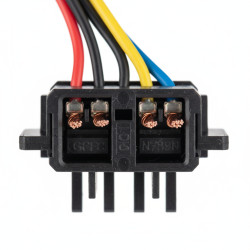
5. Connect Wiring (Doorbell & Chime Kit): Carefully connect your existing doorbell wires to the terminals on the video doorbell, following the manufacturer’s specific wiring diagram. If your model requires a chime power kit, install it inside your indoor chime box as instructed. Ensure all wire connections are tight and secure.
Step 6
6. Secure the Video Doorbell Unit: Once wiring is complete, attach the video doorbell unit to the mounted bracket. Ensure it clicks or screws securely into place, preventing it from wobbling or falling.
Step 7
7. Restore Power & Test Functions: Restore power at your circuit breaker. Follow the in-app setup instructions to connect your doorbell to your Wi-Fi network. Test all functions: live view, two-way audio, motion detection, and confirm your indoor chime rings properly. Adjust settings as needed.
Common mistakes
- Forgetting to turn off power at the circuit breaker: This is a serious safety risk and can cause electric shock or damage to the doorbell.
- Incorrect voltage supply: Connecting a doorbell to inadequate or excessive voltage will prevent it from working or damage it permanently. Always verify with a multimeter.
- Weak or unstable Wi-Fi signal: A poor connection at the installation site will lead to dropped video, delayed notifications, and unreliable performance.
- Improper wiring or reversed polarity: Misconnecting wires, especially with chime kits, is a leading cause of non-functionality or damage to the unit.
- Skipping the required chime power kit: Many video doorbells need a specific power kit installed in the indoor chime box for proper operation; overlooking this causes power issues.
- Insecure or incorrect mounting: A loose doorbell can fall, get stolen, or provide a poor viewing angle, reducing its effectiveness.
- Not reading the manufacturer’s manual: Each model has unique requirements; failure to follow specific instructions often leads to avoidable problems.
When to call a professional
- No existing doorbell wiring or incorrect voltage: If your existing wiring doesn’t provide the required 8-24V AC, or if there’s no wiring at all, a professional electrician can safely run new lines.
- Need for new in-wall wiring or significant modifications: Any work involving opening walls or extending circuits is best left to a certified electrician to ensure safety and compliance.
- Electrical issues like sparking or smoke: Immediately turn off power and call an electrician if you encounter any signs of electrical malfunction.
- Uncertainty or discomfort with electrical work: If you are ever unsure about a step, wiring, or feel unsafe, it’s always best to consult a professional to prevent accidents or damage.
- Persistent connectivity or functionality problems: After troubleshooting, if your video doorbell still isn’t working correctly, a professional can diagnose and fix complex issues.
Want this done properly without the hassle?
Aap DIY try kar sakte hain, lekin agar time nahi ya confidence kam ho, to professional bula lena better hota hai. Galat step se damage ya safety issue ho sakta hai.